 Back in August I wrote a post about the need for increased feedback in the review process for Apple’s App Store. I made the thoughtful (and delicious, I might add) case for how the folks at Domino’s had the right idea when they unleashed their famed Pizza Tracker into the online world. The Pizza Tracker allows customer to see each step of the pizza making process thereby eliminating anxiety, fear and doubt in the mind of the hungry consumer. It stood to reason that one of the ways Apple could make the whole review process easier for the fragile psyche of today’s iPhone devs would be to supply more information when apps are submitted for review. I’d love to claim that it was my well-timed blog post that spurred Mr. Jobs into action, but alas I have no tangible proof.
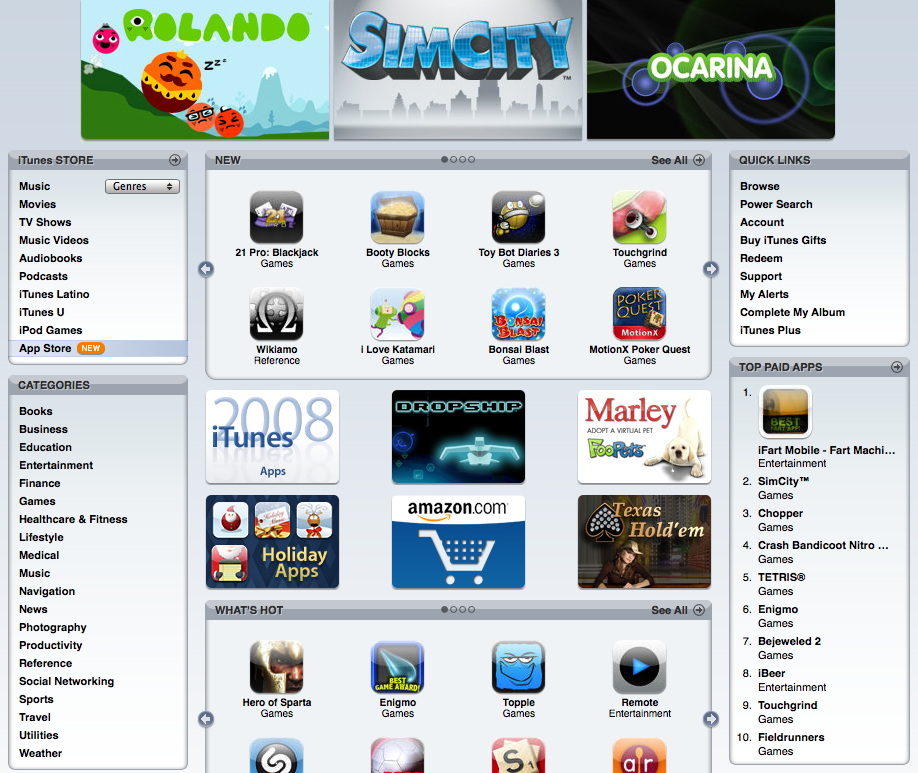
What we do know however is that Apple has introduced a new status history to the review process thereby removing some of the mystery of where your app is on its road to public release. As Mashable reported this week, it may not tell you the actual name of the individual(s) reviewing your application, but it does let you know what stage your app is in, why it might have been rejected, how to correct and so on. This is certainly good news for iPhone developers like myself who no doubt take the change to mean Apple is listening to its critics. The change comes just a bit too late for famed iPhone developer Joe Hewitt however.
Hewitt, the noted dev behind the massively popular Facebook app, announced rather publicly this week he was abandoning the iPhone in favor of mobile web-based applications. Hewitt cited the restrictive policies of Apple’s app review process as the main reason he was leaving and it’s more than fair to say his departure has made other developers sit up and take notice. Overall I find Joe’s protest a good thing but considering his application had the App Store approval process wrapped around its little finger, more than a little ironic. At one point, the Facebook app had no less than 3 updates pushed to the App Store within 72 hours of each other. This is something unheard of in the iPhone development community, unless of course you’re a massive juggernaut like Facebook.
In the end, Apple’s addition of the new status history and even Joe’s rather public resignation from the App Store should help the platform. These developments can’t come soon enough. The staggering growth of applications for the iPhone has meant ever-decreasing visibility for publishers, longer wait times, mounting frustrations and increased competition. With this week’s update, Apple is doing what it can to help turn the tide of criticism before it snowballs out of control. I just wish they’d have delivered it in 30 minutes or less.
UPDATE: Add iPhone developers Rogue Amoeba to the list of developers who are quitting the platform. Four months of delays, roadblocks and black bag treatment by the App Store and it’s broken (yes, it really IS broken) review process has been enough for them. In my Losing iReligion blog post, I said that if things didn’t get better, we’d start to see developers head for greener pastures. Guess what? It’s really starting to happen. All those who commented that there’s nothing wrong with the App Store, go read RA’s post. Then read it again. Not surprisingly, it’s going to take more than a status history to make iPhone developers happy.
UPDATE II: Brett Archibald Jeff Lamarche offers a different view of the Rogue Amoeba situation and comes to the defense of Apple and the App Store. Jeff makes some good points, it’s certainly not a black and white issue. I think the thing that makes RA’s situation so bad is that it took 4 months to resolve. Three-four weeks inbetween submissions to know if your fix is correct is unacceptable in my book.
 A great deal has
 I’ve recently discovered creating a successful iPhone application is a lot like baking a pizza. Take the best ingredients, like skillfully crafted code, bold and flavorful interface design and combine with a dash of love and you may end up with a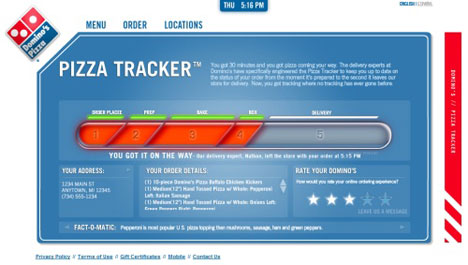

 When my friend and co-worker,

 According to an unofficial announcement in the
 John Gruber over at Daring Fireball
  Inspired by a
 There are very few surprises left in the world, so when something outside my experience comes along, I prick up and take notice. Lately the shock of the new comes in the form of commercials from Research In Motion (RIM), makers of the BlackBerry line of smart phones.