gedblog

A day in the life of me.

Losing Control

Posted in Design, Mac, Myself

Jun 16

Anyone who’s worked for themselves knows the satisfaction of being in control of your own destiny. The perception that by sheer force of will and hard work, you can be successful at what you do. Those who take on the challenge of owning their own business are often considered “control freaks” and more often than not, perfectionists. I never really realized just how much of a control freak I was until this past weekend when, completely without warning, I had none.

Last Friday, the Iconfactory’s popular Twitter client, Twitterrific, fell victim to the so-called Twitpocalypse bug, which caused the mobile version of our application to suddenly stop working. Thanks to the efforts of our talented engineer, Craig Hockenberry, a fix for both versions of the client was submitted to the App Store within a day. To Apple’s credit, the free version of the fix was approved swiftly and allowed the majority of our users to continue tweeting with minimal interruption. And although the Premium version of the application was also approved in record time, the displeasure from our user base, not surprisingly, came even quicker.

From the moment the bug hit, both Talos and I had begun monitoring tweets of users mentioning Twitterrific in their posts. What started as a trickle, soon turned into a deluge of upset and frustrated users. We began responding to individual tweets and Travis, our project manager, responded to support emails. The Iconfactory is a small company, we’re not Adobe or Google or even the Omni Group. All three of us did our best to let users know what was going on, and thanks to hundreds of RTs, word started to spread about the bug and our efforts to combat it. Unfortunately, Twitter is a very big community and it was impossible to personally respond to everyone. Even now, there are many people on Twitter who don’t know why their copy of Twitterrific isn’t functioning and there is very little I can do about it.

The best we could hope for was that the majority of users followed @twitterrific and would eventually receive news about the fixes. The troublesome part is that although I know the majority of users now have a working version, I still feel uneasy knowing there are potentially thousands that don’t even know about the fix. Part of this is due to the lack of communication channels, and part is due to the nature of the App Store approval process. As developers, we must turn control of our applications over to Apple to have our iPhone software published. This process can take days or weeks and until it runs its course, our hands are quite literally tied. By the time updates are published it may already be too late.

All of us at the Iconfactory count ourselves lucky that Apple recognized the seriousness of the bug we were facing and pushed through the Twitterrific updates as quickly as they did. We know we messed up and we thank the App Store team for helping to pick us back up off the floor. That being said, I didn’t sleep much in the days after the bug hit because there was a part of me that knew hundreds of tweets were flying by every hour from Twitterrific users I was powerless to help. As with most control freaks this usually means even more work, more testing and more diligence to guard against these kinds of catastrophic failures in the future. But that’s okay with me since I’m not anxious to give up this level of control, or sleep, ever again.

8 Comments »

The recent release of Twitterrific 2 for the iPhone has reminded me that software development is replete with truisms. The primary thing I have to constantly remind myself is that, no matter what you do, or how hard you work, you simply cannot please everyone. Anyone who works in a creative field knows that there will always be those who are unsatisfied with the result.

For iPhone developers, these people usually fall into the “if it just had feature X, I would use it” category, but every so often you get someone who just poo-poos your efforts. It’s easy for devs to fall into the trap of trying to keep everyone happy, but years of experience have taught me that this is a losing battle. Development quickly builds into a sort of “features arms race” that usually ends with bloated software and burnt out programmers. No, the answer is to design first and foremost for yourself. If you can produce a piece of software that you are happy with, then chances are the majority of your users will be too. The trick is trust your gut enough to tell the difference between constructive feedback and the nay-sayers so you can move beyond them when it’s appropriate.

The other truism I’ve found is that there’s always room for improvement. The new posting user interface for Twitterrific 2 demonstrates this point perfectly. All through beta testing, the posting UI was the same as it was in version 1. If you wanted to change your update from one type of tweet to another, you had to toggle the tweet type using a single icon on the post bar. Although this method had served well since our initial launch, neither us nor the beta users were satisfied. Their feedback, combined with Louie’s desire to improve the posting experience challenged us to do it better. The result was a re-designed UI that fulfilled user’s desires for posting clarity while giving the Iconfactory a big new feature to tout. The amount of work required to pull off the revised posting interface so close to the end of the beta was intense, but ultimately worth it.

Lastly, if there is one axiom that Twitter has proven beyond a shadow of a doubt it’s simply that if you give an inch, the Twitterverse takes a mile. Lately I’ve been seeing more than a few requests for Twitterrific to support Twitlonger, a service that allows you to “expand” on the 140 character limit that is at the very heart of Twitter. The argument goes that allowing long updates to be read directly in-app is preferable to having to post multiple tweets. This may indeed be true, but I hesitate to support any service that, for lack of a better term, subverts Twitter. Brevity is the soul of wit, and in Twitter’s case, its lifeblood.

In my opinion, any update that can’t be held within Twitter’s 140 character limit should be taken offline to email, Facebook or Friendfeed. What’s the harm in supporting a great service like Twitlonger you ask? Seemingly none, except that Twitlonger is a very slippery slope. Imagine typing a tweet of any length right in Twitterrific. When the message length exceeds 140 characters, the app automatically creates web page entry where your followers can read your magnum opus. Sounds great, except its no longer Twitter, it’s called a blog. Given how easily such a feature would be abused (as is evidenced by the Twitterverse’s aggressive adoption of RT), I don’t see Twitlonger support in Ollie’s future.

As developers, all we can do is our best. Sometimes our best is good enough and sometimes it doesn’t cut the mustard. I’ve been very pleased with the positive reaction that Twitterrific 2 has been receiving from the Twitter community. There are updates coming that address some of the most requested issues from the initial 2.0 launch, but I have no illusions that even these updates will satisfy everyone. Not to mention all those people out there who are patiently waiting for an update to the Mac version of Twitterrific. To them, I offer one last proverb - Good things come to those who wait.

No Comments »

One of the toughest parts about owning your own creative business is having to keep secrets. During my time at the Iconfactory, we’ve had to wear many projects close to our sleeves for months, sometimes even years until the day comes when we finally can talk about them. This philosophy doesn’t just extend to our paying clients however, it also covers our internal projects.

Over the years, I’ve learned the hard way what happens when you let competitors know what your up to. If you’re lucky they merely get a jump on your idea, but sometimes, for one reason or another, they manage to beat you to market. This is one reason why I subscribe to the Montgomery Scott school of thought when it comes to product announcements. Named after the famous engineer from my beloved Star Trek, the theory is simply this: Under sell and over deliver.

By setting realistic expectations in the minds of your customers, they are pleasantly surprised when you manage to exceed them. This is how Scotty got his reputation for being a “miracle worker” on Star Trek. It’s also why we don’t typically like to give sneak peeks or announce dates for freeware and software releases at the Iconfactory unless we’re very close to releasing something. By doing this we keep competitors guessing and limit dangerous over-hyping.

Taken to its logical conclusion, the best way to keep expectations in check is not to create them in the first place. Unfortunately, this approach fuels rumors and leads some to conclude total inaction. My response to these people can be summed up in a recent tweet from my friend and colleague, Craig Hockenberry who said “When I appear to be doing nothing is when I am doing the most.”

We always have something new coming down the assembly line at the factory. I’d love nothing more than to run shouting to Twitter what we’re up to on any given day, but that would only lead to user heartache. We also firmly believe that if you’re going to do something, it’s worth doing right. So remember - just because you don’t have access to engineering, it doesn’t mean we’re not busy installing the latest dilithium crystals.

1 Comment »

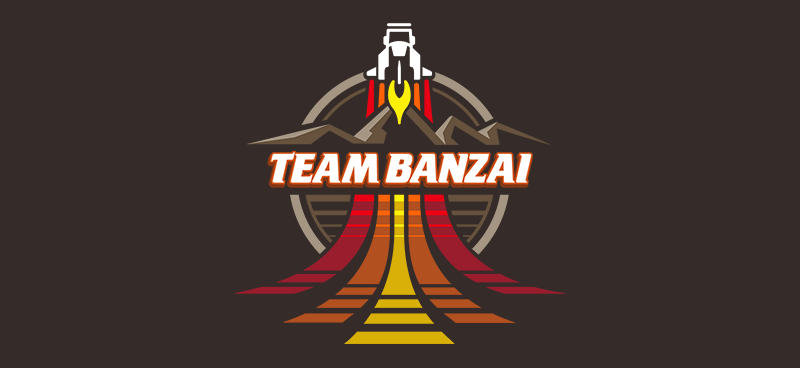
The Adventures of Buckaroo Banzai is one of those films. You know the ones I mean, you either love them to death or you hate them with the passion of a 1,000 burning suns. Being the child of the 80’s I am, I fall squarely into the former category when it comes to Peter Weller’s hero, Buckaroo.

I first watched this quirky film back at R.I.T. with my good friends David, Anna, Bob & Jiffy, all of whom still share my affinity for Team Banzai and their globetrotting, save-the-day antics. I got on a Buckaroo kick a few weeks back and whipped up a Team Banzai Patch icon that was released over at The Iconfactory as a QuickPix as well as the desktop I’m making available today. If you’re a fan of Buckaroo, then head over to my Goodies page and download Team Banzai for your iPhone, Mac or PC desktop and be the envy of all your buddies. Remember, no matter where you go, there you are!

1 Comment »

After several false starts, months (even years) of waiting, and disputes with their retail neighbors, the new Greensboro Apple Store finally opened this past weekend. Although I’ve done my fair share of waiting in line for openings, this time things were a bit different. The level of excitement and enthusiasm as we stood in line Saturday morning was surreal. We arrived a little after 7am and were about 20 people from the front of the line. We came prepared and dressed in layers to keep warm.

The morning was spent swapping Mac stories and meeting new people. The day before a group of my friends and I from the Iconfactory stopped by the unopened store and happened to run into a WXII News crew. They had asked us why we were looking forward to having our own Apple Store and we even managed to get in a plug for Twitterrific.

When the moment of truth arrived and the doors finally opened, we were greeted like rock stars courtesy of the whoops and cheers from the store employees. After running down the line and high-fiving over 20 people, I can start to understand why some think Mac users are part of a geeky “cult”. We browsed the hardware, and Talos even ended up becoming the 1st official paying customer in Greensboro. After about 30 minutes we made our way to the exit, went outside and was greeted with our first real glimpse of the true size of the line waiting to get in. Checking out the photo essay from the News & Record it’s easy to see just how many people had come for the opening. Absolutely incredible.

While the store opening itself was a wonderful and throughly geeky experience, I’m more gratified to finally have a place locally where I’ll be able to go and purchase new Apple hardware, learn new software and have repairs made. The staff at the Apple store are always on call to help users with any need and I plan to avail myself of their hospitality every chance I get. From all of us, to all of you, welcome to Greensboro, Apple!

2 Comments »

Don’t Panic!

Posted in Design, Geek

Feb 20

If you could open up the fictional Hitchhiker’s Guide to the Galaxy and ask it to explain the current credit crisis, the answer would look something like this video. About the only thing missing is the snarky attitude and snotty English accent. Come to think of it, those things would probably make this snoozefest of a subject actually enjoyable. Gets really good around the 7:20 mark.


The Crisis of Credit Visualized from Jonathan Jarvis on Vimeo.

1 Comment »

One of the behaviors that the social networking site, Twitter, has employed since launch has been the ability of users to “protect” their updates. That is to say, a user can keep their tweets hidden from the rest of the world until they choose to let a particular follower “into the club” and allow them to be read. The theory goes that some users don’t want every Tom, Dick and Harry knowing what they are up to at any given moment, or perhaps they want to restrict information only to a select group of people like real friends and family. While I certainly understand the logic behind protecting one’s updates, the way Twitter has implemented the feature needs work.

On any given day, I receive from 5-10 notices that new people have begun to follow me on Twitter, which is awesome. Twitter is a social network after all and the more people that want to listen to what you have to tweet, the better. Whenever I receive a new follower notice, I visit their twitter page to see if they are the kind of user I would like to follow back. Typically this could be someone in the design field, or a big Mac geek like myself, or someone who is just plain funny. It helps if they have a custom page style or an interesting avatar, but what seals the deal are the last 20 or so tweets that I read on their landing page. I can tell from these tweets if they are posting updates I’m interested in, or if they are just tweeting junk.

But there’s a problem when a user starts following me who’s updates are protected. I can’t see their tweets. I have to “send a request” to gain access to the clubhouse before I know if I want to follow. This wastes everyone’s time and quite frankly is a little insulting. They can follow me on a whim but I have to ASK to follow them? I don’t think so.

This is a serious design flaw and Twitter needs to adjust the behavior of how protected users interact with those they follow. The good news is there is a relatively simple fix that would solve the annoyances of protected users and it is this: Accounts with protected updates should automatically allow their tweets to be viewed by those they chose to follow. In other words, if you’re gonna follow my updates, I automatically get to see yours without having to first ask permission. In my opinion, it’s only fair.

Personally, I wouldn’t mind if Twitter did away with protected updates all together. Although I’m sure my closest friends who protect their updates wouldn’t agree. They have chosen to limit the number of people who follow them by manually filtering all requests that come in. Are they friend or foe? Spammer or special someone? As far as I’m concerned it’s a lot less work to allow everyone to follow you than not. If I get followed by an account name that I consider “spammy” then I go and check them out. If they are a Facebook life coach or are hocking their blog non-stop then I block them. To everyone else I say, welcome to the Ged-fest! If you want to protect your updates, that’s fine, just don’t make me jump through hoops before I’ve even paid to see the show.

4 Comments »

Video games are supposed to be fun. Any game’s primary purpose is to engage and entertain in ways that are new, exciting and challenging. Which is why early calls from critics and fan boys alike that the Nintendo Wii console was just a passing “fad” were out of their depth. The argument went that since the Wii didn’t have the horsepower, graphics or true HD support that the XBOX 360 or Playstation 3 had, it was doomed to failure.

In September of 2007, the Nintendo Wii surpassed sales of both its rivals and has never looked back. This year the Wii weathered its second holiday season with flying colors. According to VG Chartz the Wii sold an incredible 1.7 million units the week before Christmas. By comparison, Microsoft’s XBOX 360 sold 535,806 units and SONY’s struggling PlayStation 3 sold a mere 239,576. VG states that when December is done, Nintendo will have sold more than 3 million Wii’s for the month, an astounding number especially considering the current economy.

It is certainly true that most fads enter the market in a blaze of glory and then promptly burn themselves out. However, they also rarely have direct competition from similar products. Fans never had to consider “My Pet Log” when running out to the store to own their first “Pet Rock“. Fads are unique and unpredictable and by their very nature, a flash in the pan. From the very beginning, the Nintendo Wii was designed to be the very opposite of a fad.

From the Wii’s conception, Nintendo’s game designer Shigeru Miyamoto said the console was not about graphics or frame rates, but user interaction. He wanted to make a new way for players of all ages to interface with video games, and he succeeded. Unlike the XBOX or PS3, the Wii was the first video game platform that appealed to adults in large numbers. The Wii has become hugely successful in retirement homes where seniors play endless hours of Wii Bowling and even tone their aging muscles with Wii Fit. Hard core gamers can’t stand this aspect of the Wii. PS3 and XBOX fan boys argue that any console granny plays isn’t a “real” system, and is only geared for kids and old people. Somehow they say this with a straight face while SONY & Microsoft blatantly copy the parts of the Wii that people love like motion sensors and customizable player avatars.

Will the Nintendo Wii manage to stay off the competition for yet another Christmas? If I was a betting guy, my money would definitely be on Miyamoto and not Ballmer. That being said, eventually the Wii’s unique game play will lose its novelty and the console’s sales will slow. But rest assured, Nintendo has plans for the Wii’s successor that takes all the best parts and improves the rest. Nintendo didn’t become the giant of the video game world it is today by following others, Miyamoto and company had the vision to lead. They skillfully knew what the rest of the industry is only now figuring out - frame rates and flop cycles will only get you so far, but fun lasts forever.

3 Comments »

John Gruber over at Daring Fireball links to an intriguing piece by Paul Kafasis on the state of the App Store. The post compares Walmart’s strategy to sell disposable, cheap goods to those of App Store “ringtone” developers which are forcing down prices. My friend and business partner, Craig Hockenberry wrote about this very topic a few weeks ago in a piece that put him in the crosshairs of quite a few people.

After Craig’s piece was published, and indeed after reading the post by Kafasis, some are under the impression that more expensive “AAA” apps are doing just fine thank you very much. The theory goes that one only has to look at the App Store top 10 list to understand it’s not price that gets you into the top 10, but quality. This, plus marketing on the part of the developer are all that’s needed to boost your software into the top 10 of the App Store. Reading through the comment thread at Inside iPhone it all seems so simple. All a developer has to do is market their app and the rest will take care of itself! Why didn’t I think of that?

The part I love the most is that the people making the “just market your app!” comment have no real idea how much effective marketing costs. Oh sure, you can go far on viral and word-of-mouth marketing, but it all pales in comparison to even a small banner graphic in the App Store. The Iconfactory could spend tens of thousands of dollars buying up targeted advertising space to promote Frenzic, but it still wouldn’t be 1/10 as effective as the front page graphics that Dropship, Marley and Texas Hold’em are enjoying (for free) as I write this. Not only that, but I have no way to track metrics for advertising pointing at Frenzic in the App Store. I can’t gauge how effective a $75 blog ad versus a $2,600 DF sponsorship is because Apple doesn’t currently give me stats of people clicking through to my software. Anyone who says “Just market it!” doesn’t have a solid grasp on how the App Store works.

Another example is Rolando. People are holding this app up as the ultimate example of a quality, non ringtone app that is enjoying success in the store. It is true that Rolando is a fantastic game worthy of the top spot it once held. It is also true that Apple promoted Rolando from DAY ONE in the App Store with major graphics both in iTunes and on Apple.com. All that exposure helped to get Rolando into the top of the store when it launched. But its $9.99 price point is like an anchor. As I write this, Rolando sits at #30 in the top 100, and #10 in games. Let me repeat that. #10. In games.

So what is in the App Store top 10 right now? iFart Mobile is number one which is still riding high on a wave of PR thanks to being originally barred. Crash Bandicoot, which is featured in national Apple television spots is #2. Tetris, perhaps the most well-known video game in history, is #3. Three more ringtone apps come in as 4, 5 & 6 including the months old iBeer. Touchgrind, which also enjoyed prominent Apple billing, is #7. Bejeweled 2 is number 8, PocketGuitar ($.99) is #9 and SimCity rounds out the top 10. All of these apps either enjoyed uncommon press exposure, have a nationally known brand or are priced at $.99. Quality definitely plays a role in getting to the top, but price and “Apple love” play a larger part.

Does this all mean that developers like myself will abandon making quality iPhone applications like Twitterrific and Frenzic? Of course not. I just wish that people who think they know how the App Store works would admit that they really don’t. The App Store is still in flux and much is unknown. What I do know however is that there are key factors to getting to the top of the store, chief among them being price and exposure from Apple. No amount of 3rd party marketing, done on a small developer’s budget is going to change that simple fact. What’s worse (or better, depending on your point of view) is once you are in the top 10, even if you’re app is a “limited utility” ringtone app, because you’re in front of millions of eyeballs both on the device and in iTunes, you’re bound to stay there.

I don’t know exactly how to fix the App Store, but everyone I’ve spoken with agrees that it needs fixing. If not fixing, at least a change in how it favors certain apps while hindering others. The more we talk about this stuff, the better it will be for both developers and customers alike.

3 Comments »

Switching Hats

Posted in Design

Dec 16

Back on December 1st, I put on my artist’s hat and wrote a post about the importance of icon design and how it shouldn’t be taken for granted or seen as an afterthought. The post garnered a fair amount of exposure and I received a great deal of positive feedback from designers and developers alike on the importance of icon branding and standing out in the App Store.

Near the end of the piece, I offered up this unassuming little opinion which has caused me a fair amount of stress these last few days:

“Lately, developers have taken to plastering “SALE” or “60% OFF!” within their icons. They’ve become lazy and let the iPhone software mar their design with glossy highlights which obscure efforts to brand their software. Fight the urge to cheapen your brand and instead give your icons the love and attention they deserve. You’ll still sell boat loads of copies and your users just might end up thanking you at the same time.”

What is the source of my distress? Over the course of the past week, the Iconfactory and ARTIS Software jointly agreed to put our game Frenzic on sale for the Christmas holiday. From the moment we launched the product, we had always planned on temporarily lowering the price for the holiday rush. When I wrote the original post I was unaware of the importance the app’s icon plays in marketing an online sale. I’m guessing you can probably see where this is heading. As the app went on sale today, it reluctantly sported a new badge. The same type of badge that I railed against in my original post.

If you care as much about icons and design as I do, then you’re probably asking yourself how I could allow something like this to happen. At first I couldn’t figure it out myself, and then it became very simple. I took off my “designer hat” and put on my other one… the one that says “business owner”.

The business owner in me doesn’t wrestle with many of the lofty ideals that my inner designer aspires to. Being a partner in a successful company sometimes means doing what’s best for the health and growth of the business, especially in today’s unsure economy. It’s easy to criticize someone’s design decisions when you’re on the outside looking in. You think you’ve got everything figured out, but then your app starts to sink off the App Store and suddenly nothing’s as simple as you thought.

Although I initially resisted calls to slap a “For sale” badge on our icon, I came to realize that it was one of the most important ways to get people who had previously dismissed Frenzic due to its $4.99 price tag to take another look. The change may not affect sales at all, but on the other hand, it may help to get Frenzic in front of more people’s eyes than ever before. If that means that I have to eat a hefty helping of crow in order for us to maximize our exposure in the App Store, then I say pass the ketchup.

3 Comments »