gedblog

A day in the life of me.

Thanks to Erica, I’ve been playing Star Trek Online since closed beta. The game has evolved and improved since that initial release, but overall I’ve been able to get a solid understanding of what it takes to have fun and play well in the universe that Cryptic Studios has created these last two months. The game officially launches in just a few days and I thought I would take a moment to share with you some quick and dirty tips and tricks that will help any new player function effectively in STO. I wish something like this had been available when I started playing World of Warcraft back in 2004. As I learn more I’ll be updating this post with new tips and things to watch for. I hope it’s helpful.

Playing on a Mac: Although Star Trek Online doesn’t officially have a Mac version, you can certainly play it on one. You’ll need a copy of Boot Camp running either Windows XP SP2 / Windows Vista / or Windows 7 (32 bit). I don’t recommend playing STO using Parallels on a Macintosh, running in emulation mode is too slow. I don’t know how fast your Mac needs to be in order to run the game well in Boot Camp, but obviously the faster the better. I’m running on a 2.8 GHz Intel Core i7 iMac with 8 GB of RAM and the game purrs like a space kitten. TUAW has a great illustrated guide on how to install Win 7 on Boot Camp, check it out.

Before You Buy: Some special in-game equipment and abilities can only be obtained by ordering the game through a certain retailer. If you order the Deluxe Collector Edition for instance, you’ll get access to Next Generation & movie era uniforms and more. Cryptic offers a complete list of retailers and what you get when you order from each of them. Do your research before you purchase.

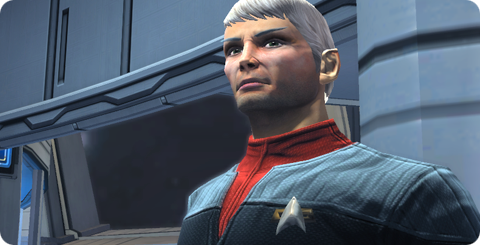
Take Your Time: Customize the appearance of your character at creation. Changing physical attributes, the look of your uniform, etc after your character has been created costs “money” in Star Trek Online in the form of energy credits. The same goes for crew members you recruit.

Use Your Map: Pressing the “M” key in aboard ship, in spacedock or on a planet displays various types of maps. Before shouting out “where is so-and-so” take a look at your map first, it will often display what you’re looking for. FYI, at Starfleet headquarters, Sulu is in the Admiral’s office.

Linking Items: You can easily link in-game items you pick up in chat by control-clicking on them.

Item Rarity: Energy credits can be earned by selling items in your inventory. The more uncommon an item, the more it’s worth. Items in Star Trek Online follow a similar path as those in Warcraft. White: Standard issue, Green: Uncommon, Blue: Rare, Purple: Epic. I don’t know if there are colors beyond purple or even what they’re called yet.

Loot System: Loot “drops” when certain ships are destroyed, usually the last ship in a squadron. If loot is available to pick up, you’ll see a glowing, floating orange pylon in space or an orange sphere in ground missions. Unlike Warcraft, loot in Star Trek Online is only available to a specific player, so don’t be afraid to pick it up by pressing “F” when you see it.

You’re In Charge: Don’t forget about equipping your crew as you progress. Those under your command will not pick up loot and equip themselves, so it’s important that you do so for them. A low-level shield may not be useful to you, but could be just what your science officer needs to keep from being sent to sickbay every away mission. Be sure to examine everything before selling it.

Instances: As of this writing there are no “realms” in Star Trek Online. The game is played on a single, massive server for everyone. There are however, instances within this server. So you can be talking to someone in zone chat who’s at the same location you are and not see them floating in space next to you. You can change instances by clicking on the small downward pointing arrow in the upper right of your HUD.

Powers: As soon as you get your own ship and are floating above Sol Spacedock, press “P” and open the available list of powers. Drag and drop the shield power management controls into your HUD so you always have access to them during battle. Throwing power to a particular shield has saved me more times than I can count in Star Trek Online.

Emotes: Click the little Starfleet badge icon in the corner of your chat window to list all of the emotes your character can perform. I especially love the “Tug”, “Dance: Robot” and “Prosper” emotes.

What about you? Do you have tips and tricks for Star Trek Online that other players can benefit from? If so, please leave them in the comments of this post and I’ll add the best ones to the list. Thanks and feel free to add me to your list of in-game friends, I’m Kodos@Gedeon.


6 Comments »

I’ve been seeing quite a few of these “Best Movie Lines” videos on YouTube and so I thought I would take a shot at making my own. It took some work to grab all of the clips, but the result was worth it. Editing this short ode to silver screen silliness was really fun. Next up, my favorite dramatic lines. Enjoy!

7 Comments »

For designers and artists, the chance to collaborate with others who share your passion for creation is a wonderful event. Ideas feed off of each other and lead to new connections which can both surprise and delight. Such was the case while scoring Ramp Champ, the Iconfactory’s & DS Media Labs’ ode to the classic games of Skee-Ball and pinball for the iPhone. I’m pleased to report the game’s soundtrack was recently released on iTunes, something none of us at the factory could have dreamt of happening.

When we originally designed the game’s ramps, we knew we wanted the quality of the music to match the fidelity of the visual elements. Having a generic track repeat itself across multiple ramps, from outer space to under water, wasn’t going to be fun for the player. During the initial production phase of Ramp Champ, composer Noe Ruiz took the lead and created many of the tracks for the default levels such as Clown Town, Breakwater Bay and Space Swarm. Noe has a wonderful ear for rhythm and was able to incorporate these into the widely varied themes with ease. Of all the tracks he originally produced for Ramp Champ, Space Swarm (along with it’s dance and techno re-mixes) has to be my favorite of the bunch. Space Swarm is filled with old-school retro arcade sound effects that play perfectly into the look and feel of the ramp, helping to evoke the feel of a classic 80’s arcade game.

Atomicon’s David Weiner took up where Noe left off and came on board to help us produce the music for two of the game’s add-on packs. The Challenge Pack featured Molar Madness and Happy Place, both of which required a decidedly twisted approach when it came to the score. David’s work on Molar Madness is nothing short of brilliant. The samba-like piece he created for the ramp is both catchy and just the sort of thing you’d hear coming from the speakers of a dentist’s waiting room. Molar Madness is, without a doubt, one of my favorite pieces in all of Ramp Champ. Happy Place somehow managed to take the absurd notion of dolphins and unicorns floating in the sky and give them life. The track is zippy and light, but has decidedly dark undertones that foreshadows ominous events the player encounters within the level.

When it came time to write the music for our special Halloween add-on pack, David once again stepped up and gave us two wonderfully spooky tracks. When I approached him about Trick or Treat, I knew I wanted music that sounded both eerie as well as innocent. The ramp features children as they roam a neighborhood for candy on Halloween night. As we talked through our ideas, one of our inspirations was Vince Guaraldi’s classic Great Pumpkin Waltz from “It’s the Great Pumpkin Charlie Brown”. David’s final piece has this jazzy feel as well as elements that remind me of the creepy TV cult hit Twin Peaks, which worked out wonderfully. The other piece in the Halloween Pack, Grave Danger, draws obvious inspiration from Disney’s classic Haunted Mansion with all kinds of over the top scary sound effects like thunder, ghosts and werewolves.

For our 3rd release, David Weiner was already busy scoring the Challenge Pack as well as our other iPhone title, Pickin’ Time, and so we turned to composer Mike Weiser. Mike has created music for many iPhone games including Stick Wars and Tower Land and I was fortunate to be able to work with him on Plunderin’ Pirates and Star Struck. Mike’s score for Plunderin’ Pirates, inspired by Disney’s famous Pirates of the Caribbean ride, is one of the funnest pieces in the game and does a great job of evoking the high seas thanks to the use of instruments like the accordion and steel drums. The sound effects I produced for the ramp added to the overall feel and makes for what many players have called their favorite level in the game.

On Star Struck, both Mike and I decided to create something that reminded the player of space exploration, like you’d hear sitting in a planetarium. The “computerish” tones that come in at the start and end of the track were originally an ode from one of my favorite films ever, The Hitchhiker’s Guide to the Galaxy, although Mike masterfully made them his own in Star Struck. The album version of Star Struck that appears on the soundtrack is a specially composed version of the game’s track and is my favorite piece in all of Ramp Champ. You’ll be able to catch more of Mike’s work in the Iconfactory’s next software title, coming to the iPhone in the second quarter of 2010.

Collaborating with Noe, David and Mike on the music for Ramp Champ was, without a doubt, one of the most rewarding things I’ve done during my time at the Iconfactory. The talent these guys posses to take one’s creations and run with them musically is nothing short of astounding. Their work made our efforts that much better and for that, we are all grateful. With Atomicon’s help, we’re proud to finally be able to bring you the complete original soundtrack. I really encourage you to check it out and hopefully you’ll enjoy listening to it as much as we had bringing it to you.

2 Comments »

Thanks to the generosity of a friend, I’ve been lucky enough to beta test the new MMO, Star Trek Online from Cryptic Studios. The game is set to launch in early February and at least for this Star Trek fan, it’s a winner. Playing around in Gene Roddenberry’s universe has given me a new appreciation for the art direction of designers such as Matt Jeffries and Michael Okuda. Designing anything is challenging, but designing interiors, user interfaces and uniforms of things that have yet to be must be especially difficult.

Most beloved of all the designs of Star Trek is perhaps the bridge of the Starship Enterprise itself. The bridge is the command center of the ship and is often the focus of action on both the big and small screens. Jeffries’ original utilitarian layout eventually gave way to more modern looking interiors, but the basic design (center command chair, flanking support positions) has withstood the test of time. The bridge is such an integral part of Star Trek that due to popular demand, the developers of Star Trek Online recently announced they were implementing them for individual ships within the game. Virtual captains told Cryptic they wanted their “big chair” and the game designers responded in kind.

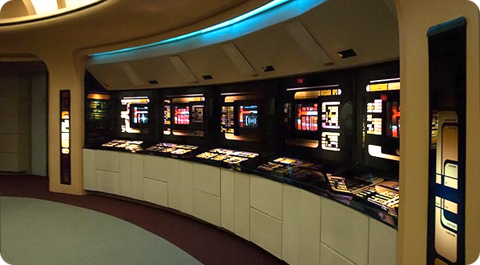
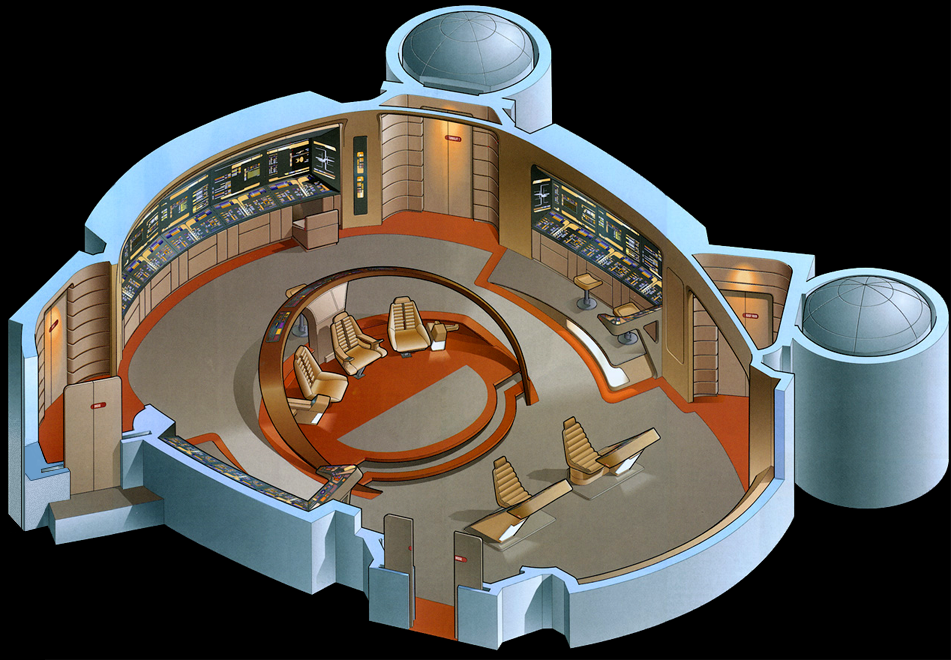
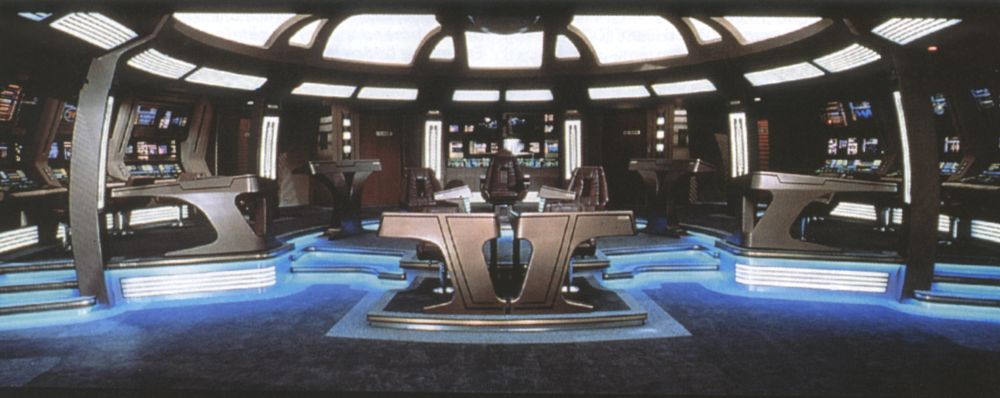
All of this got me thinking about which starship bridge I liked the best. The answer has to be that of the Enterprise-D from Star Trek: The Next Generation. To many Trek fans this bridge seemed more like a hotel lobby than a high-tech command center, but I always admired its sleek curves, high-tech surfaces and muted colors. The original TV design was modified slightly for Star Trek Generations (seen here) to accommodate new science/tactical stations, giving the set a more cinematic feel.

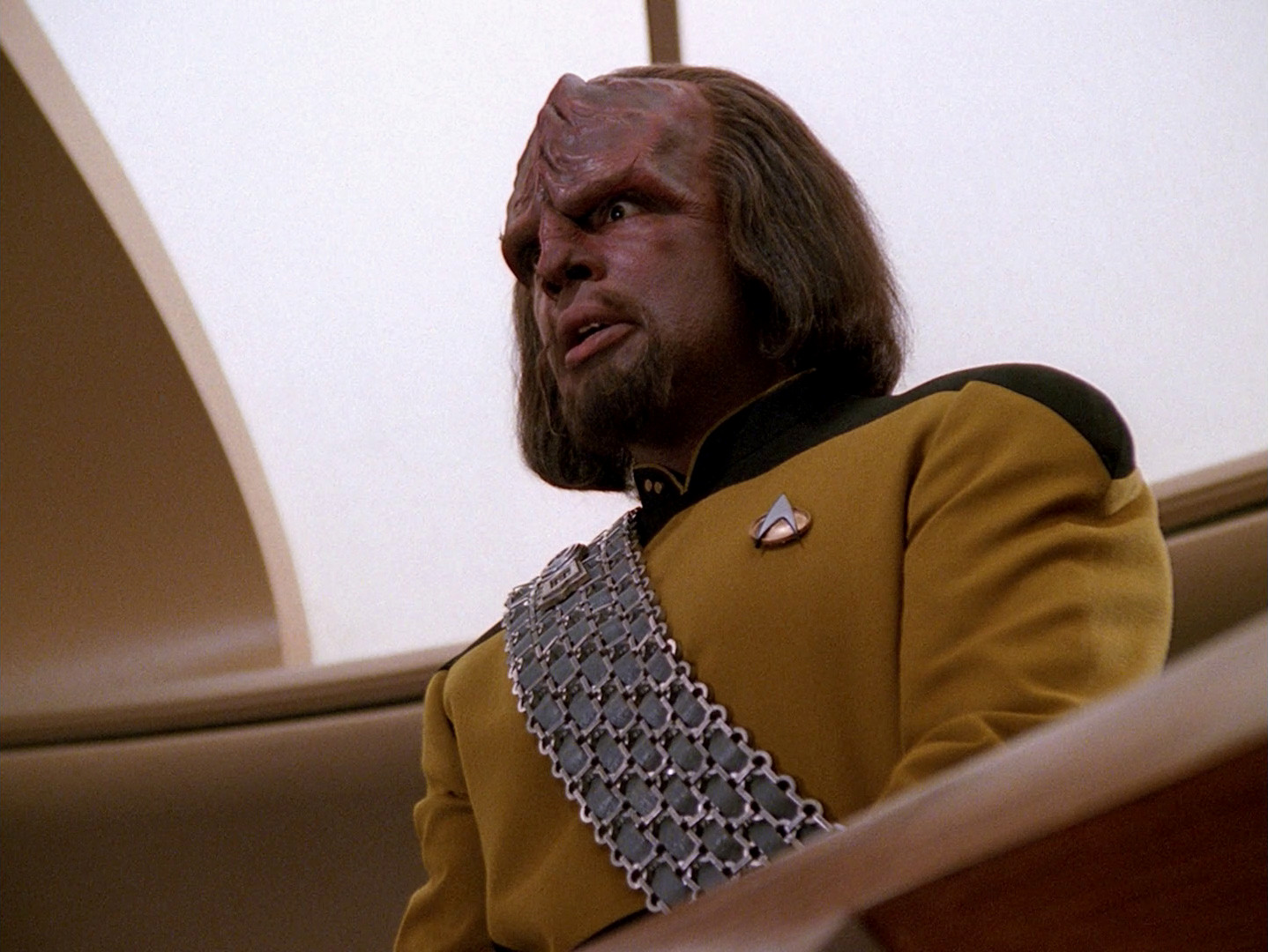
Designed by Andrew Probert, the bridge of the Enterprise-D was the ultimate set for the weekly TV series. The layout was big enough to allow the actors room to move around comfortably as well as give characters space for private conversations, tucked away from prying ears. The raised back level provided an elevated platform that made Worf look even more imposing while offering Geordi and Data stations where they could work out solutions to the problem of the week. The set also introduced flanking seats to those of the Captain’s something that Star Trek Voyager would also adopt.

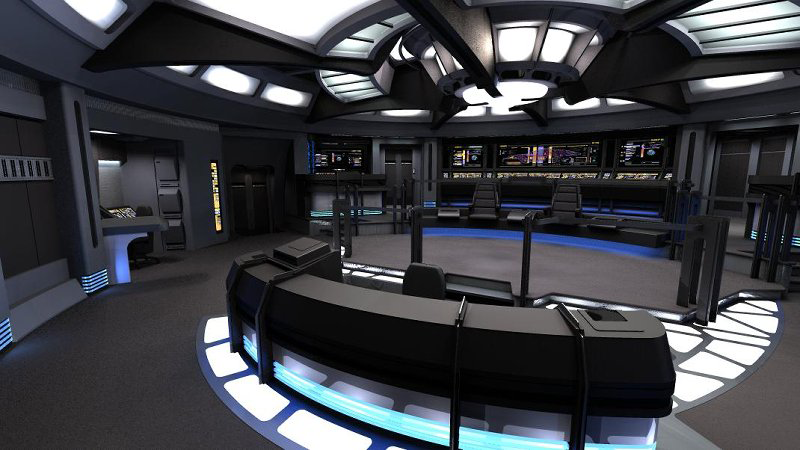
In contrast to The Next Generation’s warm earth tones, the bridge of the U.S.S. Voyager presented TV viewers with the cool grays and electric blues so often associated with science fiction. Created by production designer Richard D. James and illustrator Rick Sternbach, the interior design of the bridge of Voyager introduced subtle under lighting techniques that contributed to the “deep space feel” of the show. This design also reduced the traditional two-man con and navigator positions to a single console, putting emphasis on Captain Janeway.

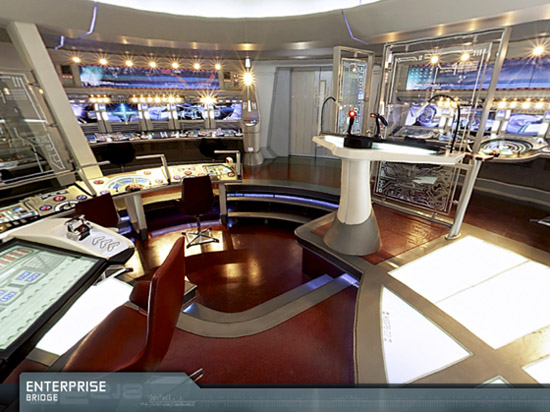
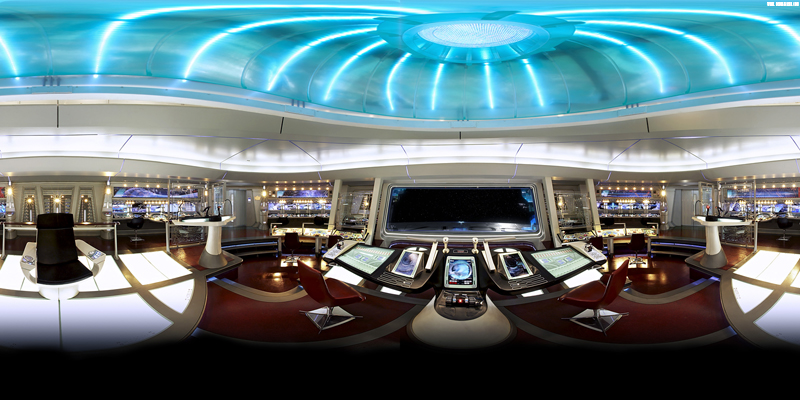
I love the look of these two sets because they put the focus on the characters and their actions rather than the technology all around them. Some production designers tend to get out of hand with their creations and let the look of the set overpower its inhabitants. Voyager’s and Next Gen’s bridges are awesome examples of futuristic interior design precisely because they don’t go overboard. Compare these simple designs to the complex bridges of the Enterprise-E or the franchise reboot and you’ll see Star Trek art direction run amuck. Overlapping lines, textures and lens flares get in the way of the action and detract from the audience’s ability to focus on the characters.

Designing anything, even a fictional universe is an art form. More so when a large part of that universe’s appeal centers around details. Through the years, those entrusted with designing the bridges of Starfleet have evolved and molded it again and again. These talented artists have put their stamp on Gene Roddenberry’s original vision of the future and given Trek fans a place they could easily call home. Star Trek Online will soon give players a chance to roam the bridges of some of the most beloved starships in Star Trek history, all from the comfort of their computers. So until we can all afford to build a bridge in our basement, a virtual one has to be the next best thing.

1 Comment »